The eBay Best Offer Notification? It's a Psychological Trap. Here's How to Stop Bleeding Money.
The 9 PM Best Offer buzz is eBay's most emotionally fraught feature. Most resellers react with panic or ego — and bleed margin either way. Here's an actual framework: the three numbers you need before you ever list, why auto-accept at 75% is your sanity shield, and the algorithm truth about accepting vs. declining that nobody talks about.
Calculate Your eBay Selling Fees
Our free eBay Fee Calculator automatically calculates final value fees, promoted listing fees, international fees, regulatory fees, store subscription discounts, and different category-specific fee structures. See your estimated eBay fees, profit, and profit margin in seconds before you list.
Open Free eBay CalculatorThe eBay Best Offer Framework: A Guide to Negotiation, Psychology, and Profit
It's 9:47 PM. You're on the couch. Half-watching some show you've already seen twice. Phone buzzes. Not a sale. Worse. A Best Offer. $18. On an item you listed at $32.
Your stomach tightens. Not because you care about the fourteen-dollar difference. But because now you have to decide. And eBay gave you exactly forty-eight hours. Which somehow feels both way too long and not nearly long enough.
You stare at the number. Eighteen dollars. You paid four bucks for this at a thrift store two months ago. After fees, after shipping, you'd still clear maybe nine dollars. That's profit. Not good profit. But profit.
The voice starts: "Take it. Cash is cash. It's been sitting forever. Something's better than nothing." Then the other voice: "Don't be weak. They always lowball. Counter at $28. Or just decline and wait for full price."
You do nothing. You put the phone down. Tell yourself you'll decide in the morning. Morning becomes afternoon. The offer expires. Now you have nothing. Not the eighteen dollars. Not the satisfaction of negotiating. Not even the data point of what the buyer was actually willing to pay. Just an unsold listing. And a vague feeling that you completely mishandled the whole thing.
If this sounds familiar, welcome to the club. Best Offer is the most emotionally fraught feature on eBay. It's also the one thing that separates hobbyists from actual businesses. Anyone can list an item. Anyone can ship a box. But negotiating offers in real time, at scale, with thin margins and algorithmic consequences hanging over every decision? That's a skill. And almost nobody teaches it.
This guide provides a structured, data-driven framework for managing Best Offer negotiations, from psychology and pricing thresholds to auto-accept rules and algorithmic considerations.
Key Takeaways
- Know your three numbers before the offer arrives. Dream price, happy price, and floor. Without these, you're reacting emotionally instead of processing mechanically.
- Set auto-accept and auto-decline. Auto-accept at 75% to 80% of listed price. Auto-decline just below your floor. This filters out insulting offers and closes easy wins without your involvement.
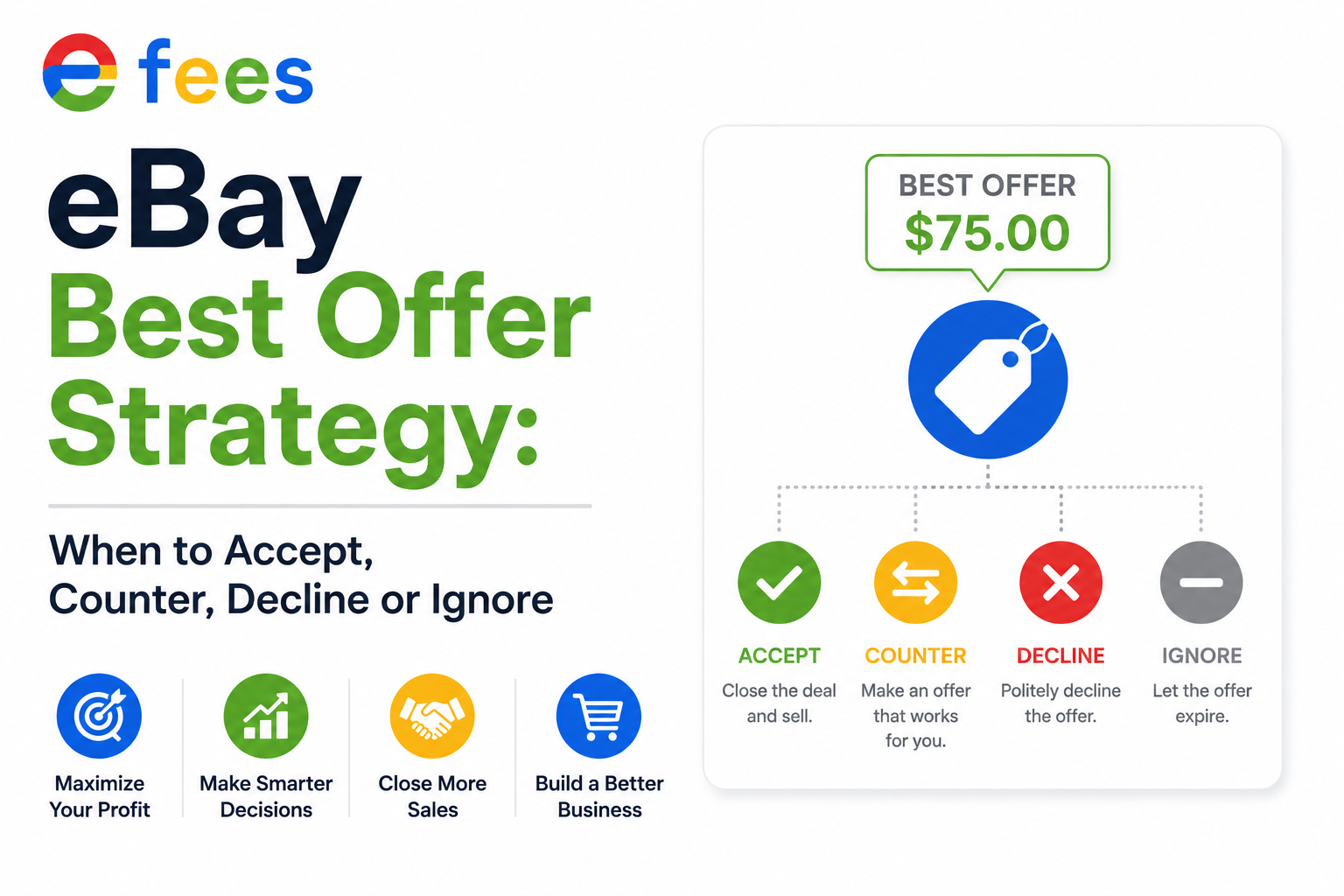
- Use all four moves. Accept when the offer hits your happy price. Counter when it's between floor and happy price. Decline when it's below floor. Ignore when you don't want to engage.
- One counter is usually enough. Additional back-and-forth costs time that erodes thin margins. For items under $50, one counter is the maximum.
- The 70/80/90 Rule: Auto-accept at 90% for items under 30 days old. 80% for 30–60 days. 70% for over 60 days. This creates a natural depreciation curve.
- Send Offer to Likers is your secret weapon. Proactively send discounts to watchers. Multiple watchers? Send to all simultaneously. One watcher on a stale item? Send a deeper cut.
- Best Offer is data, not drama. Every offer is a signal about your pricing, your photos, and your store. Treat it like data. Patterns tell you more than any guru ever will.
- Cash flow is oxygen. A thin-margin sale today is better than a full-price sale six months from now that never materializes. Accept more offers. Move more inventory. Breathe.
1. The Psychology of the Offer: Why Your Brain Works Against You
Before strategy, we need to talk about what's actually happening in your head when that notification hits. Most offer mistakes are not strategic. They are emotional.
eBay designed Best Offer to create urgency. The forty-eight-hour timer. The "don't let this buyer get away" language. The fact that it's a notification on your personal phone, invading your couch time with a business decision. All of it is engineered to make you feel like you're in some high-stakes negotiation when you're usually just haggling over a used coffee maker.
That manufactured pressure causes two predictable failures:
Panic Acceptance: You see a low number. Your brain catastrophizes: "This is the only offer I'll ever get." So you hit accept before doing the math. Maybe you still profit. Maybe you break even. Maybe you lose money and don't realize it until you check your payout three days later. Panic acceptance is how resellers turn inventory into cash flow without actually making money.
Ego-Driven Decline: Someone offers $20 on a $40 item and you decline out of principle. Not because you have buyers lined up. Not because the math says hold. Just because the offer felt disrespectful. Here's the truth: buyers don't know your cost structure. They don't know you spent an hour sourcing, photographing, and listing this thing. They see a number. They throw a lower number at it. It's not personal. It's just how marketplaces work. But when you decline out of spite, you're not teaching anyone a lesson. You're just keeping an unsold item in your inventory room, where it continues to cost you space, mental energy, and algorithmic relevance.
The Healthy Middle Ground:
The healthy middle ground is mechanical negotiation. You have a number before the offer arrives. You know your floor. You know your happy price. You know how long the item's been sitting. When the offer comes in, you don't feel it. You process it. And that's impossible unless you've done the work ahead of time.
2. The Three Numbers: Your Pre-Negotiation Framework
Before you ever enable Best Offer on a listing, you need three numbers locked in. No exceptions.
Your Dream Price: This is your listed price. The number you'd love to get. The one that makes the math sing.
Your Happy Price: The number where you'd accept immediately. No counter. No drama. Solid margin. You feel good. It's a win.
Your Floor: The absolute lowest you'll go before the sale isn't worth your time anymore. Below this, you decline. Above it, you negotiate.
Most resellers have a dream price and nothing else. They list at $45 and hope. When the $18 offer comes in, they have no framework. So they react emotionally. The sellers who win did this math before they ever hit publish.
3. The Four Moves: Accept, Counter, Decline, Ignore
Every offer presents four possible actions. Most sellers only use two—accept and decline—and they use them at exactly the wrong times.
Accept: You accept when the offer hits your happy price or above. Not your dream price. Your happy price. Listed at $45, someone offers $38, and $38 is a number you'd have been thrilled to get yesterday? Take it. Don't counter for $42 and risk losing the buyer. Don't let greed turn a good sale into a dead negotiation. The best time to accept is when the margin is already solid and the item has been sitting long enough that you know demand is soft.
You should also accept when an item is approaching your personal expiration date. That vintage sweater listed for four months. Twelve views. Zero watchers. Someone offers seventy percent of asking. That might be the market telling you your price was wrong all along. Accept. Learn. And stop storing inventory that doesn't move.
Counter: You counter when the offer is below your happy price but above your floor. The buyer isn't insulting you. They're anchoring low. Negotiation 101. Your job is to anchor back without being ridiculous.
A standard counter is somewhere between your asking price and their offer, biased toward your end. They offered $20 on your $40 item. You counter at $34. Not because you expect $34. Because you're signaling: "I'm willing to negotiate. But I'm not desperate." If they come back at $28, you can land at $30. Both walk away feeling like winners.
Here's the reseller-specific wrinkle: every counter extends the timeline by another forty-eight hours. If you're managing hundreds of listings, you can't afford ping-pong over a $12 item for a week. Some sellers set a hard rule: one counter. Take it or leave it. Others will go back and forth twice if the item is high-value. Decide your tolerance for administrative drag. A $5 profit on an item that required four messages and two counters isn't $5. It's $5 minus your time. Which makes it closer to $2.
Decline: Decline when the offer is below your floor. Not below your dream price. Below your actual break-even or time-value threshold. Someone offers $10 on an item where your all-in cost is $9 and eBay takes another $4? You're not negotiating. You're being asked to pay someone to take your inventory. Decline. Move on. Don't explain. Don't leave a snarky message. Just decline.
You should also decline when an item is fresh. Listed within the last week. Getting organic interest. If you just published something and it's already getting views and watchers, a lowball offer is often a test. The buyer wants to see if you're desperate before the market tells you what the item's actually worth. Declining early sends a signal: you're confident in your price. Sometimes that confidence alone converts them to a full-price buyer two days later.
Ignore: This is the most underrated move. Ignoring an offer means letting the forty-eight-hour timer expire. No accept. No counter. No decline. Just silence. Responding at all resets your mental clock. You see the offer. You engage with it. You start justifying the number in your head. Sometimes the healthiest thing is to not engage. Let it die. If the buyer really wants it, they'll send another offer. Or buy at full price.
4. Auto-Accept and Auto-Decline: Set Them or Regret Them
eBay lets you set automatic thresholds. Most resellers don't use them. Which is like leaving money on the sidewalk. Auto-accept and auto-decline are your first line of defense against emotional decision-making and administrative bloat.
Auto-Accept: Set auto-accept at your happy price. Not your floor. Your happy price. If you'd be thrilled to sell for $32, set auto-accept at $32. When a buyer hits that number, the sale closes instantly. No notification. No 9 PM anxiety. No forty-eight-hour timer. Just a clean transaction and a cha-ching email.
The psychological benefit is massive. Auto-accept removes you from the equation entirely for good offers. It also trains buyers—subtly—that your price has a floor but isn't completely rigid. You'd be surprised how many buyers offer exactly your auto-accept threshold. Because they sense it's the real number.
Where should that threshold sit? For most resellers, auto-accept at 75% to 80% of your listed price is the sweet spot. Below 75%, you're giving away too much margin unless your markup was absurd to begin with. Above 85%, you're barely negotiating. Might as well list at that price. 75% to 80% protects your margin while still giving buyers the dopamine hit of "winning" a deal.
Auto-Decline: Set auto-decline just below your floor. If your absolute minimum is $20, set auto-decline at $15. Maybe $18. This filters out the bottom-feeders who are just blasting lowball offers across dozens of listings, hoping someone is desperate enough to bite. You don't even see these offers. They bounce off your shield. And you keep your sanity.
The gap between auto-decline and auto-accept is your negotiation zone. Offers landing in this middle space hit your inbox and require a human decision. That's by design. You want to think about the borderline cases. You don't want to think about the insulting ones or the easy wins.
Advanced Tactic: Some sellers set auto-accept slightly higher on fresh listings and lower it incrementally as the item ages. Three days old? Auto-accept at 85%. Thirty days? 75%. Sixty days? 70%. This mimics what you'd do manually—hold firm early, get flexible later—but it happens automatically while you sleep.
5. The Algorithm Question: Does Best Offer Affect Search Ranking?
This is what keeps resellers up at night. And the honest answer is sort of, but not how you think. eBay has never confirmed that accepting, declining, or ignoring offers directly impacts Cassini. There's no "offer acceptance rate" metric in Seller Hub. But sellers who track their data have noticed patterns. And while correlation isn't causation, the patterns are consistent enough to take seriously.
Accepting Offers: Accepting offers doesn't seem to hurt. If anything, it might help slightly because a sale is a sale. And Cassini loves sales velocity. An item that sells via Best Offer is still a converted listing, which is better than an item that sits unsold. The algorithm doesn't know you accepted $30 instead of $40. It just knows the listing generated revenue and the buyer was satisfied. If accepting offers tanked your ranking, eBay wouldn't offer the feature. They want transactions. Period.
Declining Offers: Declining offers repeatedly on the same listing might hurt. Not because eBay penalizes you for being tough. But because a listing with lots of offer activity and zero sales starts to look like a dud. Cassini sees engagement without conversion. Assumes the listing isn't satisfying buyers. If you're declining multiple offers on one item, ask yourself why. Is your price genuinely too high? Is the item flawed in a way you didn't disclose? Are you getting offers from serious buyers or just tire-kickers? Sometimes a string of declined offers is the market telling you to lower your price. And ignoring that signal can lead to algorithmic burial.
Ignoring Offers: Ignoring offers appears to be neutral. The offer expires. No transaction. No feedback. It's a non-event in the data. If you're getting lowballs on stale inventory and don't want to engage, letting the timer run out is probably the safest move, algorithmically and mentally.
Send Offer to Likers: When you proactively send an offer to someone watching your item, and they accept, that sale seems to get a slightly higher visibility boost than a standard Best Offer acceptance. Probably because eBay views it as proactive seller behavior that drives conversion. If you have watchers on a stale listing, sending an offer—even a modest one—is often better than waiting for them to make the first move.
6. The Reseller's Offer Playbook: Strategies That Actually Work
Different inventory demands different strategies.
Fast-Moving, Thin-Margin Inventory: Electronics accessories. Common clothing brands. Books. The goal is velocity, not margin maximization. You want these items out the door fast so you can reinvest the cash. Set auto-accept at 75%. Auto-decline at 50%. Don't counter. If someone offers in the middle, accept it if it's above your floor. The time you save not negotiating is worth more than the extra $2 you'd squeeze out.
Slow-Moving, High-Margin Inventory: Vintage furniture. Collectibles. Rare sneakers. Patience pays here. Set auto-accept at 85% or don't set it at all. Let offers come in. Counter aggressively. These buyers often need time to convince themselves. And a quick acceptance signals that you were asking too much all along. Exception: if the item's been sitting for 90-plus days. Then your strategy should flip to "any reasonable offer." Because stale high-margin inventory is just expensive storage.
Seasonal Inventory: Holiday decor. Summer gear. Back-to-school. Timing is everything. Six weeks before peak season? Hold firm. Two weeks before? Start accepting more offers. One week after the season ends? Drop auto-accept to 70%. And clear it out. Seasonal inventory has an expiration date. Holding out for full price in November on something that should've sold in August is just paying rent on a ghost.
Death Pile Recovery: That stuff you listed four months ago and forgot about? Best Offer is your liquidation tool. Enable it if you haven't. Set auto-accept at 60% to 70%. Your goal isn't profit optimization. It's cash recovery and space reclamation. Every offer you accept from the death pile is a win. Even if it stings a little.
7. Send Offer to Likers: Your Secret Weapon
Most resellers treat Best Offer as purely reactive. A buyer makes a move. You respond. But eBay also lets you go on offense. Send Offer to Likers. Someone watched your item. Added it to cart. Didn't buy. You can proactively send them a discounted price.
This feature is criminally underused. Probably because it feels aggressive. It isn't. A watcher already expressed interest. They just didn't pull the trigger. Maybe they were comparison shopping. Maybe they were waiting for payday. Maybe they needed a small nudge. Your offer is that nudge.
Standard advice: send offers at 5% to 10% below listed price. That's fine for general inventory. But resellers can be more strategic. Multiple watchers? Send the offer to all of them simultaneously. The urgency of knowing other people got the same deal often converts fence-sitters. One lonely watcher on a stale item? Send a deeper cut. 15% to 20%. That watcher is your only lead. Don't lose them over pride.
Don't spam, though. eBay limits how often you can send offers. And buyers get annoyed if the same seller hits them weekly with a slightly lower price. Use the feature deliberately. Once per item. Maybe twice if the first expired. After that, let the listing breathe.
8. The Numbers That Matter
If you're running a store with 200 active listings, you can't afford to hand-wring over every offer. You need rules.
The 70/80/90 Rule: Under 30 days old? Auto-accept at 90%. 30 to 60 days? 80%. Over 60 days? 70%. This creates a natural depreciation curve without manually adjusting prices every week.
The One-Counter Rule: For items above your floor but below your happy price, give exactly one counter. If they don't accept or counter back within 48 hours, decline and move on. Your time is worth more than the $3 difference you're fighting over.
The No-Offer Window: For the first seven days after listing, consider turning Best Offer off entirely. Let the item prove itself organically. If it gets views and watchers, your price is in the ballpark. If it gets crickets, enable offers on day eight with aggressive thresholds. This prevents early lowballs on fresh inventory that might've sold at full price.
The Monthly Audit: Once a month, pull your Best Offer report from Seller Hub. Look at acceptance rate. Average offer percentage. Which items consistently get lowballed. If a category attracts nothing but bottom-feeders, your listed price might be out of whack with market expectations. Adjust the base price. Not just the offer strategy.
9. The Real Talk
Here's something nobody tells you about Best Offer. It's a mirror. It reflects back exactly how the market sees your inventory, your pricing, your store. If you're getting flooded with lowballs, the problem usually isn't the buyers. It's that your prices are too high. Or your photos are weak. Or your feedback score makes people nervous. If you're getting no offers at all, your prices might be fine. But your visibility is garbage. If you're getting full-price sales with offers disabled, you were probably underpricing.
The offer feature is data. Treat it like data. Not like drama. Every offer is a signal. A low offer says this buyer sees value but not at your number. A high offer says you might be underpriced. A counter that gets accepted immediately says you left money on the table. A counter that gets rejected says you pushed too hard.
Over time, these patterns tell you more about your store than any YouTube guru ever will.
Here's the hardest truth: most resellers would make more money if they accepted more offers. Not because accepting is inherently profitable, but because the alternative is holding inventory that doesn't sell, doesn't generate cash, and slowly convinces the algorithm that your store is where listings go to die. A thin-margin sale today is better than a theoretical full-price sale six months from now that never materializes. Cash flow is oxygen. Best Offer is a ventilator. Use it when you need to breathe.
Q&A:
Question: What are the three numbers I need before enabling Best Offer?
Short answer: Your dream price (the listed price), your happy price (where you accept immediately), and your floor (the absolute minimum you'll accept). Know these before the offer arrives so you can process it mechanically rather than emotionally.
Question: What is the best auto-accept percentage?
Short answer: 75% to 80% of your listed price. Below 75%, you're giving away too much margin. Above 85%, you're barely negotiating. This range protects your margin while still giving buyers the satisfaction of "winning" a deal.
Question: Does accepting offers hurt my search ranking?
Short answer: No. Accepting offers generates sales velocity, which Cassini rewards. Declining multiple offers on the same listing might hurt because it shows engagement without conversion. Ignoring offers appears to be neutral.
Question: What is the most underused Best Offer feature?
Short answer: Send Offer to Likers. Proactively sending a discount to someone who watched your item often converts better than waiting for them to make the first move. Multiple watchers create urgency. One watcher on a stale item justifies a deeper cut.
Question: What is the biggest mistake resellers make with Best Offer?
Short answer: Not having a framework. They react emotionally—panic accepting lowballs or ego-declining reasonable offers. The sellers who win are the ones who did the math before the offer arrived and process offers mechanically.

eFee Editorial Team
The eFee Editorial Team publishes research-driven content to help eBay sellers better understand marketplace fees, pricing strategies, shipping costs and profitability. Our articles are regularly updated to reflect the latest eBay fee structures and seller best practices.
Reviewed periodically to reflect the latest eBay marketplace fee updates.
Was this article helpful?
Your feedback helps us improve future articles.