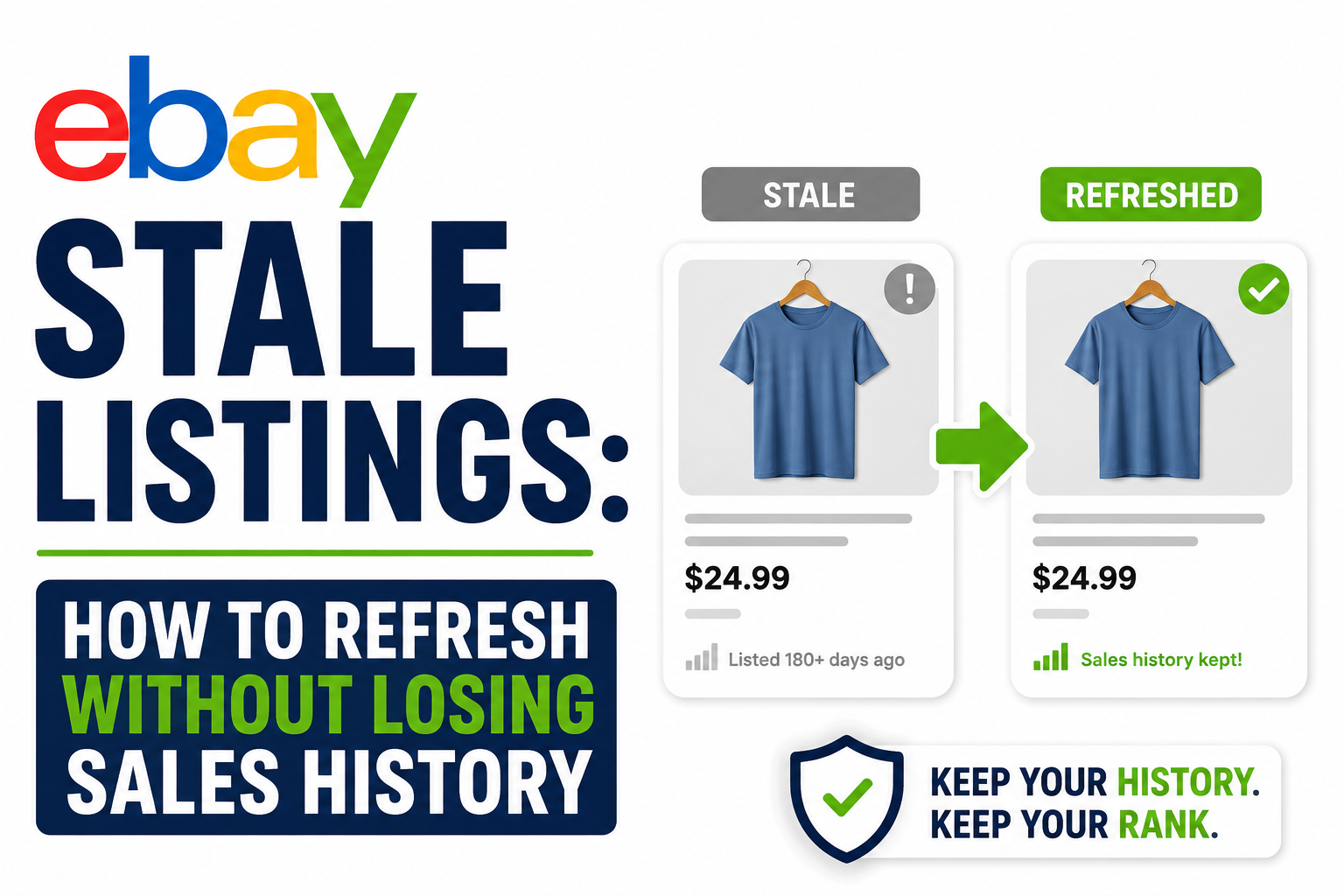
eBay Stale Listings: How to Refresh Without Losing Your Mind (or Your Sales History)
That jacket from February? 147 days active, 12 views, zero watchers. It's not just old inventory — it's a signal to eBay's algorithm that your store is asleep. Here's the truth about "sales history" (spoiler: most of it is myth), four ways to refresh stale listings without tanking your store, and the 90-day rule that tells you when to stop fighting and just let it go.
Calculate Your eBay Selling Fees
Our free eBay Fee Calculator automatically calculates final value fees, promoted listing fees, international fees, regulatory fees, store subscription discounts, and different category-specific fee structures. See your estimated eBay fees, profit, and profit margin in seconds before you list.
Open Free eBay CalculatoreBay Stale Listings: A Guide to Refresh, Recovery, and Inventory Management
You know the feeling. You open your Seller Hub, scroll down to that listing from February—the one with the vintage denim jacket, the one you were so sure about—and the numbers stare back at you. Views: 12. Watchers: 0. Offers: 0. It has been 147 days. The jacket is fine. The photos are fine. The price is... fine. And yet it sits there like a digital ghost, clogging up your store, making the algorithm think you're running a museum instead of a business.
So you do what every reseller does at 2 AM. You hit "edit." You change one word in the title. You add an exclamation point to the description. You hold your breath and click save, convinced that eBay's search engine will suddenly wake up and bless you with impressions. It doesn't. Of course it doesn't.
If you're sitting on a graveyard of stale listings—items that haven't sold, haven't been watched, and haven't moved in months—you're not alone. Every reseller with a catalog over 50 items has them. They're the digital equivalent of the death pile, except you can't throw a bedsheet over them and pretend they don't exist. They're right there in your store, dragging down your metrics, confusing buyers, and slowly convincing eBay's algorithm that your shop is where listings go to die.
This guide provides a structured, data-driven system for identifying, refreshing, and managing stale listings, with clear methodologies for each refresh option and the hard truth about when to let go.
Key Takeaways
- A stale listing is 90+ days with no watchers and single-digit views. It's not just old—it's a signal to eBay that your store is inactive. Address it or remove it.
- The sales history myth is mostly fear. If your item never sold, there's no history to lose. If it sold, the sale stays on your account. The algorithm cares more about sell-through rate than old item numbers.
- Four refresh methods exist, ranked by risk. Soft Refresh (edit in place), Price Drop Blitz (5%+ reduction), Photo Swap (relist with new photos), and Nuclear Option (End & Sell Similar from scratch).
- Soft Refresh first. Change the title (front-load keywords), swap the primary photo, adjust price by 5–10%. If no results in 7–10 days, escalate.
- The 90-Day Rule is your cutoff. Zero watchers, fewer than 20 views, 90+ days active? End it. Donate it. Let it go. Holding onto dead inventory kills your sell-through rate and search visibility.
- Run a monthly Stale Listing Audit. Sort by oldest first, triage anything over 90 days, apply the appropriate refresh method, and track results. One hour a month prevents digital clutter.
- Stale listings are not a referendum on your worth. It's just business. The skill is in spotting them early, acting decisively, and not letting them metastasize.
1. What "Stale" Actually Means (And Why It Matters)
First, let's stop being polite. A stale listing isn't just an old listing. It's a listing that has passed its sell-by date in eBay's eyes. And while eBay won't send you a push notification that says "Hey, this listing is embarrassing both of us," the signs are obvious: 90+ days active with no watchers, single-digit views per week (or zero), no offers, no questions, no engagement, and it's buried on page 7 of your active listings where you forgot it existed until you scrolled too far.
Does eBay Officially Penalize Stale Listings?
The honest answer is: kind of, but not how you think. eBay's Cassini search engine—the thing that decides who shows up when someone searches "vintage Levi's 501"—prioritizes relevance, recency, and seller performance. A listing that hasn't moved in four months sends a signal. Not a penalty, exactly, but a lack of positive signals. No clicks. No watchers. No sales. The algorithm looks at that listing, shrugs, and shows the buyer something else instead.
Worse, a store full of stale listings makes your entire shop look inactive. Buyers land on your page, see 400 active listings, and notice that half of them have the photo style and pricing of 2019. They bounce. eBay notices the bounce. It's a quiet, slow death by neglect.
2. The Sales History Myth
Here's where resellers get paralyzed. They've heard the warnings: "Don't end your listings, you'll lose your sales history!" "If you use Sell Similar, the algorithm resets you to zero!" "Never edit a title or you'll lose all your views!"
Let's break down what actually happens, because the fear is worse than the reality.
If your item has never sold: You have no sales history. That jacket with 12 views and zero sales? There is no history to preserve. The "history" is just a record of nobody wanting it. Ending it doesn't erase your past success because there is no past success. You're not losing anything except a digital placeholder for an item that didn't move.
If your item HAS sold before (multi-quantity or relisted): Now you have something to protect. When a buyer purchases an item, that sale is tied to the item number—that long string of digits in the URL. If you use eBay's Relist feature (the button that appears after an item ends), eBay generates a new item number. The old sale stays on your account, in your sold history, but it's no longer attached to the live listing. For most resellers, this doesn't matter. The sale still counts toward your totals. It still shows in your feedback. But the live listing itself starts fresh.
If you edit an existing active listing: The item number stays the same. The URL stays the same. Any previous sales tied to that item number remain attached. This is the "safest" way to refresh, but eBay doesn't always treat an edit as a "fresh" listing. Sometimes it does. Sometimes the algorithm yawns and keeps burying you.
If you use Sell Similar: This creates a brand-new listing with a brand-new item number. The old listing ends. The new listing has zero views, zero watchers, and a clean slate. This sounds scary, but for a listing that had zero engagement anyway, what are you actually losing? Twelve views? No watchers? That's not history. That's a failed experiment.
Here's the truth: the only sales history worth protecting is the history of items that actually sold. And even then, eBay's algorithm cares more about your recent sell-through rate and your current listing quality than it cares about an item number from six months ago.
3. The Refresh Menu: Four Methods, Ranked by Risk
Method 1: The Soft Refresh (Edit in Place)
What you do: Open the listing. Change the title. Swap the primary photo. Adjust the price by 5–10%. Add or update item specifics. Click save.
What happens to your history: Nothing. Same item number. Same URL. Any past sales stay attached. Any existing watchers stay attached.
When to use it: This is your first line of defense. If a listing has some life—a few watchers, occasional views, maybe an offer you declined—try this first. The title change is the big one. Most resellers write titles like they're filing a police report: "Vintage Jacket Blue Denim Men's Size Large." That's not how people search. Try "Vintage Levi's Type III Trucker Jacket Blue Denim Men's Large 70s." Front-load the keywords people actually type.
The catch: Sometimes eBay ignores soft refreshes. The algorithm sees you changed a word and keeps showing you on page 9. If you do a soft refresh and nothing happens in 7–10 days, escalate.
Method 2: The Price Drop Blitz
What you do: Drop the price by at least 5%. Not 1%. Not "let me change $45 to $43." A real drop. eBay's algorithm notices price drops. It also sends notifications to watchers (if you have any) and can trigger "trending price" badges.
What happens to your history: Nothing. Same listing. Same item number.
When to use it: When you know the item is good but the price was aspirational. The algorithm rewards activity, and buyers reward honesty. If you're using Promoted Listings, a price drop combined with a slight ad rate increase can sometimes shock a stale item back to life.
Method 3: The Photo Swap
What you do: End the listing. Retake the photos—better lighting, flat lay instead of hanger shot, model photo if you can. Relist using Relist (not Sell Similar).
What happens to your history: The old listing ends. You click Relist. eBay creates a new listing with a new item number. Your old sold history (if any) stays in your sold records but is no longer attached to the live item. If the item never sold, you lost nothing but a failed listing.
When to use it: When the photos are the problem. Bad lighting, cluttered backgrounds, blurry details—these kill sales. If you know the item is good but the presentation was mid, this is your move. The new photos give you a clean visual start, and the Relist function is faster than building a listing from scratch.
Method 4: The Nuclear Option (End & Sell Similar)
What you do: End the listing. Click Sell Similar. Build a completely new listing from scratch—new title, new description, new photos, maybe a new price.
What happens to your history: Brand new item number. Brand new URL. Zero views. Zero watchers. It's a brand new listing in every way.
When to use it: When the listing is a total zombie. Zero views for months. Wrong category. Terrible title. Bad photos. Wrong price. You basically built the listing wrong the first time, and no amount of editing will fix it.
Why this works: eBay's algorithm sometimes seems to favor "new" listings in search results. Not always. Not predictably. But a brand-new, well-built listing can get a small burst of initial impressions that a 120-day-old listing simply won't.
4. The 90-Day Rule: Know When to Fold
Here's the uncomfortable part. Some of your stale listings aren't stale because of the title or the photos or the price. They're stale because nobody wants them. And no amount of refreshing will fix that.
Every reseller has a blind spot. It's the item you love. The thing you found at the bottom of a bin and swore was special. The piece that represents your taste, your eye, your brand. And it has been listed for five months with three views. At some point, you have to accept that your taste and the market's taste are not the same thing. That's not failure. That's data.
The 90-Day Rule:
If an item has been active for 90 days with zero watchers and fewer than 20 total views, end it. No second chances. No "let me try one more refresh." End it, donate it, or move it to a local marketplace where the audience is different.
Why This Matters:
eBay's algorithm looks at your sell-through rate—the percentage of your listings that actually sell. If you have 200 active listings and you've sold 10 in the last month, your sell-through rate is 5%. That's not great. eBay looks at that and thinks, "This seller has a lot of inventory that doesn't move. Let's show buyers someone else's stuff instead." By holding onto dead inventory, you're making it harder for your good inventory to get seen.
5. The Monthly Refresh Ritual
Stale listings don't happen overnight. They accumulate. One listing at a time. One "I'll get to it later" at a time. And before you know it, 40% of your store is digital compost. So you build a ritual. Not a resolution. A system.
Step 1: Pull the data. Go to Seller Hub > Listings > Active. Sort by "Time Listed: Oldest First." Anything over 90 days goes on a spreadsheet.
Step 2: Triage. For each stale item, ask three questions:
1. Has it had any watchers or offers in the last 30 days?
2. Are the photos and title actually good, or am I lying to myself?
3. Is the price within 10% of current sold comps?
If the answer to all three is yes, it gets a Soft Refresh (Method 1). Title tweak, price adjustment, maybe a new primary photo. If the answer to question 1 is no, but 2 and 3 are yes, it gets a Photo Swap (Method 3). If the answer to question 2 or 3 is no, it gets the Nuclear Option (Method 4). End it. Sell Similar. Rebuild it right. If the item has been stale for 120+ days with zero engagement, it gets the 90-Day Rule. End it. Donate it. Let it go.
Step 3: Track the results. Mark the refresh date in your spreadsheet and check back in two weeks. If the refreshed item got a bump in views or a watcher, you know the refresh worked. If it's still dead, you know the item itself is the problem.
This whole process takes about an hour for 200 listings. One hour a month to keep your store from turning into a graveyard. That's not hustle. That's maintenance.
6. The Mental Game
When a listing goes stale, it's easy to take it personally. You start questioning your eye. You start wondering if you're cut out for this. You refresh the listing, check it three times a day, refresh your Seller Hub like it's Instagram. Nothing happens. You feel rejected by an algorithm that doesn't know you exist.
Here's the thing: a stale listing is not a referendum on your worth as a reseller. It's just a listing. Maybe the market shifted. Maybe the season is wrong. Maybe there's a new seller with better photos and faster shipping who undercut you by two dollars. That's business. That's not you.
The refresh system isn't about saving every item. It's about being honest with yourself. Some items are worth fighting for. Others are just taking up space. The skill isn't in never having stale listings—everyone has them. The skill is in spotting them early, acting decisively, and not letting them metastasize.
7. The Bottom Line
Stale listings are the silent killer of eBay stores. They don't make noise. They don't send angry messages. They just sit there, slowly convincing the algorithm and your buyers that your shop is asleep.
But you don't have to let them win. You have four tools—Soft Refresh, Price Drop, Photo Swap, and Nuclear Option—and one hard rule: the 90-Day cutoff. Use them. Build the monthly audit into your routine. Stop treating your store like a storage unit and start treating it like a storefront.
The listings you refresh today are the sales you make tomorrow. Or they're the donations that clear space for better inventory. Either way, you're moving. And movement is the whole point.
Q&A:
Question: What is the definition of a stale listing?
Short answer: A listing that has been active for 90+ days with no watchers, single-digit views per week (or zero), no offers, and no engagement. It's buried in your active listings and forgotten.
Question: Does ending a stale listing hurt my sales history?
Short answer: If the item never sold, you have no sales history to lose. If the item sold previously, the sale stays on your account but is no longer attached to the live listing. For most resellers, this doesn't matter—the algorithm cares more about your sell-through rate than old item numbers.
Question: What is the best method to refresh a stale listing?
Short answer: Start with a Soft Refresh—change the title, swap the primary photo, and adjust the price by 5–10%. If nothing changes in 7–10 days, escalate to a Photo Swap or the Nuclear Option (End & Sell Similar).
Question: What is the 90-Day Rule?
Short answer: If an item has been active for 90 days with zero watchers and fewer than 20 total views, end it. Donate it or move it to a local marketplace. Holding onto dead inventory hurts your sell-through rate and your search visibility.
Question: How often should I audit my listings for stale inventory?
Short answer: Monthly. On the first Sunday of each month, run a Stale Listing Audit. Sort your active listings by oldest first, triage anything over 90 days, and apply the appropriate refresh method. One hour a month keeps your store healthy.

eFee Editorial Team
The eFee Editorial Team publishes research-driven content to help eBay sellers better understand marketplace fees, pricing strategies, shipping costs and profitability. Our articles are regularly updated to reflect the latest eBay fee structures and seller best practices.
Reviewed periodically to reflect the latest eBay marketplace fee updates.
Was this article helpful?
Your feedback helps us improve future articles.